_____________
ABOUT US PAGE FORM
CONGRATULATIONS! YOU'VE CHOSEN: MORTGAGE BROKER-TEMPLATE 2
BEFORE CONTINUING PLEASE BE SURE TO READ EVERY PARAGRAPH, QUESTION AND STATEMENT THOUROUGLY AND IN DETAIL WITHIN THIS FORM AND EVERY VISPROSPER FORM. IF YOU, THE MEMBER, ARE INCOMPETENT REGARDING THE CONTENTS OF THIS FORM, HAVE AN ANOTHER COMPETENT PERSONS READ AND EXPLAIN FORM CONENT TO YOU. YOU, THE MEMBER, ARE RESPONSIBLE FOR SUBMISSION OF THIS FORM AND WILL BE HELD LIABLE OF ANY FALSE, ILLIGETAMITE OR WRONGFULLY CONVICTING ACTION AGAINST VISPROSPER IN TERMS OF THIS FORM. ALSO, BE SURE TO READ "WEBPAGE FORM DETAILS"
LET'S START SETTING UP YOUR COMPANY'S ABOUT US WEBPAGE!
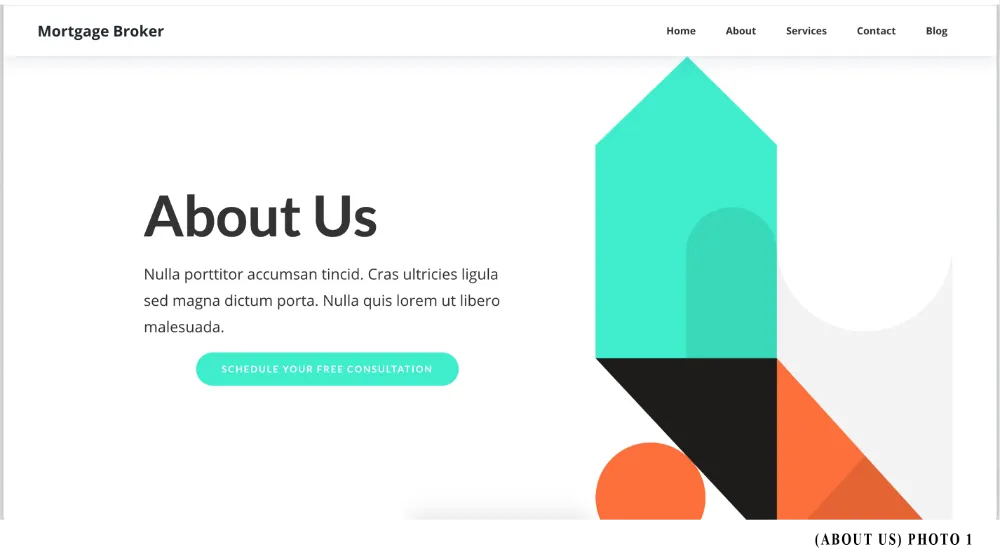
_______
DETAILS ABOUT CHEF TEMPLATE-1
Some structurally fixed, unchangeable, elements of this template:
-Navigational Menu Bar (NMB) sticks to top as user scrolls
-Geometric shapes are not removable or interchangeable.
-Navigational Menu Bar content color change feature (hoover over button feature)
-Button feature (i.e. elevate/hoover when user scrolls over button)
-Content font and (specified) spatial orientation
-Some buttons spatial orientation and structure (please read fixed elements- per section)
-Section layout. However, you can eliminate an undesirable section. Please choose the appropriate option. if option is chosen and completed by your T.E. you will not be able undo the eliminated section
DOES NOT HAVE: Top of Page (ToP) and Base Navigational Menu (BNM)
Main color: (Fixed)
Purple (#5C3FF4)
Two accent color(s):
Accent Color- Orange (#FC703C)
Sub Accent Color- Aquamarine (#40ECCC)
QUESTION 1 THRU 3 IS AN ALL-INCLUSIVE TEMPLATE CHANGE. …
_______
ABOUT US TEMPLATE FORM
If you recently submitted ANY Basic 2-5 webpage template forms (i.e. Service Page, Contact Us Page, Blog Page) PLEASE SKIP ALL FIXED (SUB)SECTIONS AND COMPLETE ALL OTHER SECTIONS, READ TERMS AND CONDITIONS, SIGN AND SUBMIT FORM.
REMEMBER: A fixed section or subsection is a particular part of the webpage that shows up synonymously on each website’s webpage template; CONTENTS OF FIXED SUB(SECTIONS) DO NOT CHANGE THROUGHOUT EACH WEBPAGE OF WEBSITE.
Need Forms: BASIC 2-5 WEPAGE C&I FORM. For Fixed (Sub)Sections: BLOG WEBPAGE/ADD FORM (If have more than two blogs to reference).
If any content form(s) is/are incomplete, your assigned T.E. is unable to process and complete any relevant webpage form. PLEASE BE SURE TO READ EACH ANSWER TO KNOW WHICH CONTENT FORM QUESTION IS NEEDED.
PLEASE NOTE: For button, the terms "SUB-LINE" and "SUB-TEXT" are, within this form, interchangeable. They both are termed for the latter line content located on the button.
ATTENTION TEAM EXECUTORS
REMEMBER: THE ACTION OF ALL FORMS OR PRE-CLIENTELE FORMS IS TO EMAIL COMPANY’S OFFICE DIRECTLY
If OPTION 1 button action goes to a page that is not available (member did not purchase), its action will default to the present page used. For example, user is on Homepage, OPTION 1 button action will default to the Homepage, not the Service Page OPTION 1 stated.
___
Navigational Menu Bar (NMB) (THIS IS A FIXED SECTION)
SEE: PHOTO 2 (BELOW)
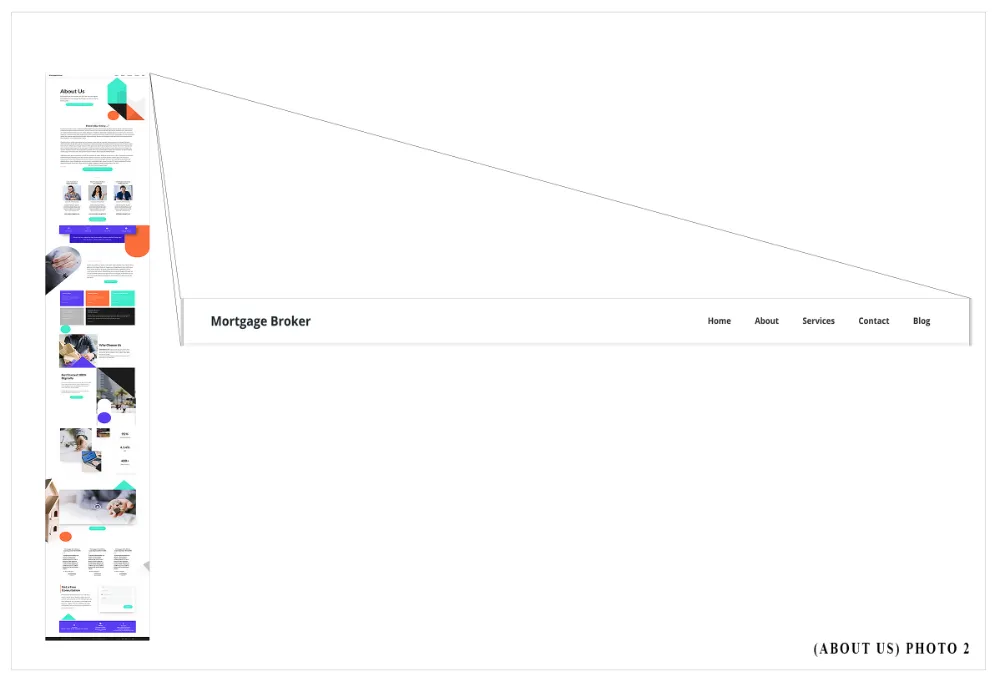
Unchangeable Elements of NMB section:
-Sticks to top as user scrolls.
-Back ground color: white (#FFFFFF)
-Navigational menu item (i.e. Home, Store…etc.) content color: Black (#000000)
-Content spatial orientation
Changeable Elements of the NMB section:
-Logo
-Navigational menu item content (i.e. Home, Store…etc.)
____

____
NEXT 9 QUESTIONS
Next 9 questions pertain to the Navigational Menu Bar and Middle of Page, just a little something extra for you!
____
Heading (H)
SEE: PHOTO 4 (BELOW)
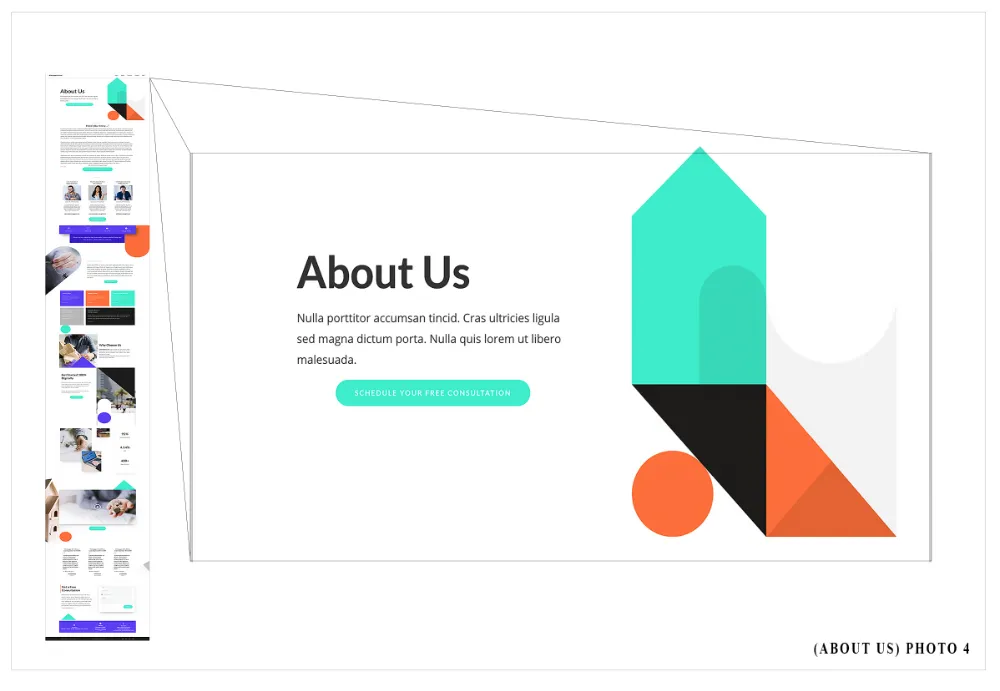
Unchangeable Elements of Heading section:
-Size and spatial orientation of section
-Heading content (i.e. About Us) color, size and spatial orientation
-Paragraph content color, size and spatial orientation
-Button content (i.e. GET STARTED) color and spatial orientation
Changeable Elements of the Heading section:
-Heading content (i.e. About Us)
-Paragraph content
-Button content (i.e. GET STARTED) and action
-Add element (i.e. form and form heading)
____
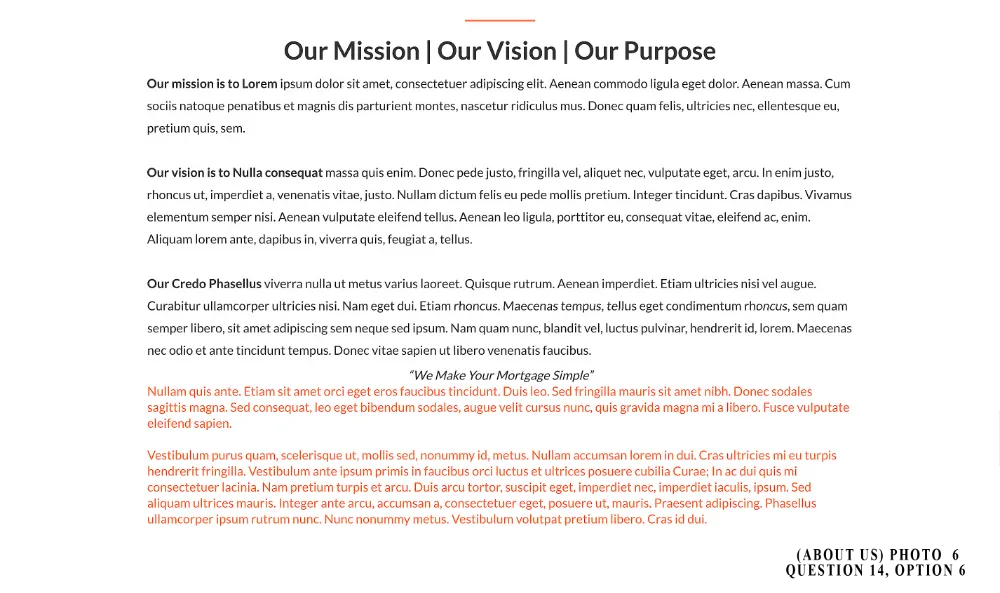
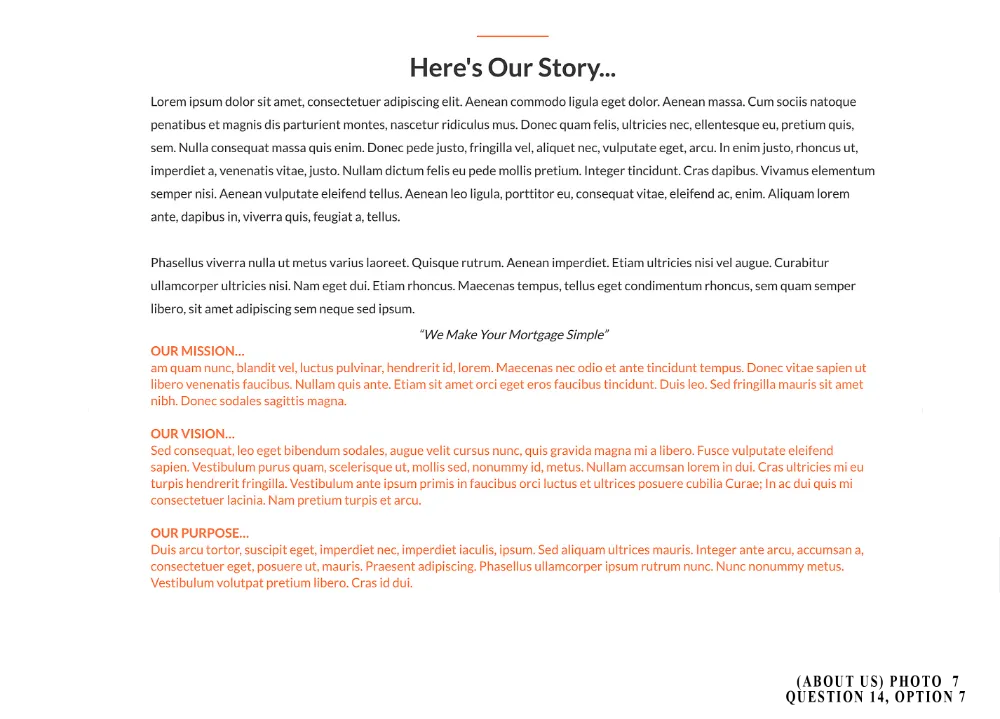
Middle of Page (MoP): Subsection 1
SEE: PHOTO 5 (BELOW)
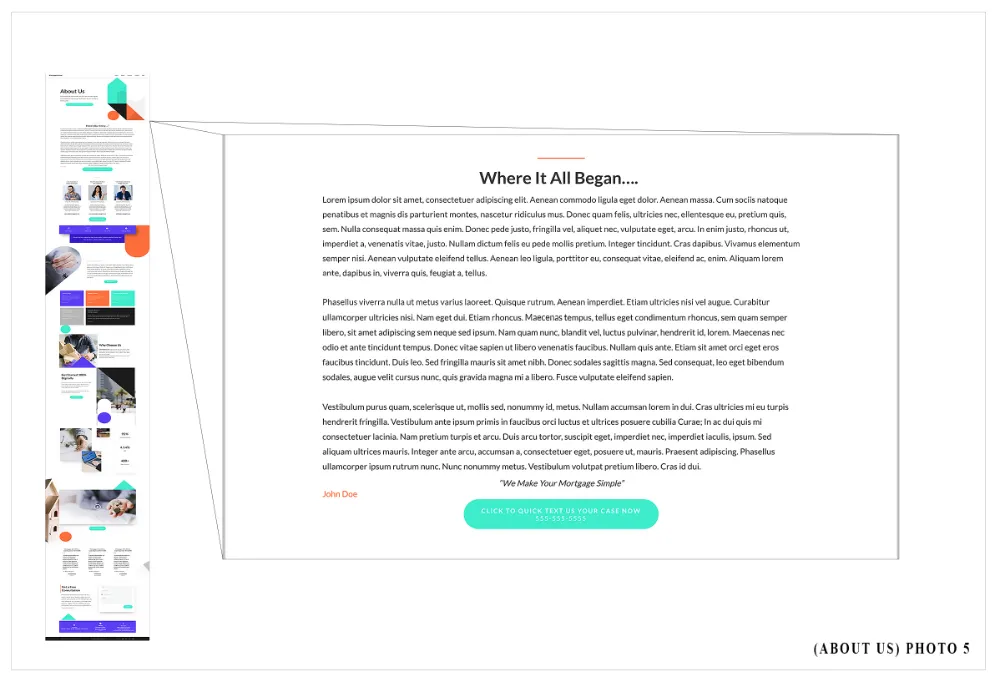
Unchangeable Elements of Middle of Page: Subsection 1:
-Divider spatial orientation
-Heading content (i.e. Where It All Began) color and spatial orientation.
-Paragraph content color and spatial orientation
-Sub paragraph (i.e quote) content color and spatial orientation
-Base Sub paragraph (i.e. name) content color and spatial orientation
-Button content (i.e. GET STARTED) color and spatial orientation
Changeable Elements of the Middle of Page: Subsection 1:
-Heading content (i.e. Where It All Began)
-Paragraph content
-Sub paragraph (i.e quote)
-Base Sub paragraph (i.e. name)
-Button content (i.e. GET STARTED) and action

____
Middle of Page (MoP): Subsection 2
SEE: PHOTO 9 (BELOW)
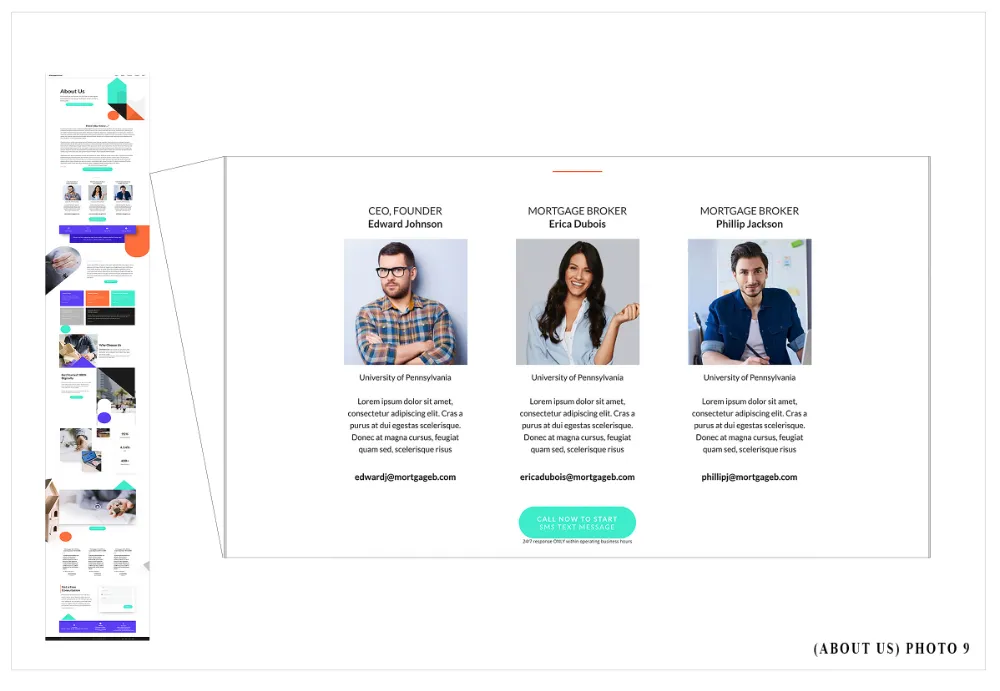
Unchangeable Elements of Middle of Page: Subsection 2:
-Divider spatial orientation
Each Associate or Specialist
-Heading content (i.e. associate and/or specialist job title) color and spatial orientation
-Sub Heading content (i.e. associate and/or specialist name) color and spatial orientation
-Associate and/or Specialist Photo spatial orientation
-Paragraph content (i.e. associate and/or specialist secondary school attended & bio) color and spatial orientation
-Button content (i.e. associate and/or specialist direct contact info) color and spatial orientation
Button
-Base button content (i.e. CALL NOW TO START) and subline content (i.e. SMS TEXT MESSAGE) color and spatial orientation
-Sub paragraph content (i.e. 24/7 response ONLY…) color and spatial orientation
Changeable Elements of the Middle of Page: Subsection 2:
Each Associate or Specialist
-Heading content (i.e. associate and/or specialist job title)
-Sub Heading content (i.e. associate and/or specialist name)
-Paragraph content (i.e. associate and/or specialist secondary school attended & bio)
-Button content (i.e. associate and/or specialist direct contact info)
Button
-Base button content (i.e. CALL NOW TO START) and subline content (i.e. SMS TEXT MESSAGE)
-Sub paragraph content (i.e. 24/7 response ONLY…)
____
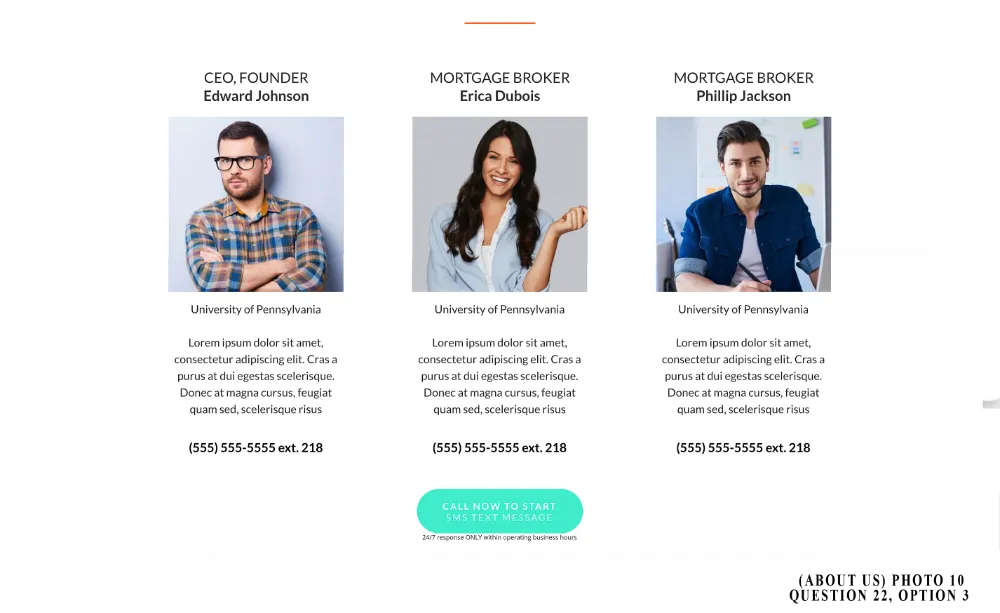
ATTENTION MEMBER
For Q. 18-22. Please note that all changes are inclusive throughout Associate and/or Specialist areas. Therefore, if you decide to DELETE content and/or elements, please note deletion will occur for of all associate and/or specialist specified areas. If any content or elements is deleted your assigned T.E. will be UNABLE TO UNDO OR REVISE (in a Basic 2-5 Webpage Revision Request Form) any deleted content and/or elements.
For Q. 18-22. IF ANY CONTENT INFORMATION IS UNAVAILABLE FOR T.E. TO COPY, PASTE AND/OR UPLOAD, UNINFORMED AREA(S) WILL BE LEFT BLANK ON WEBPAGE.
____
Middle of Page (MoP): Subsection 3 (THIS IS A FIXED SECTION)
SEE: PHOTO 11 (BELOW)
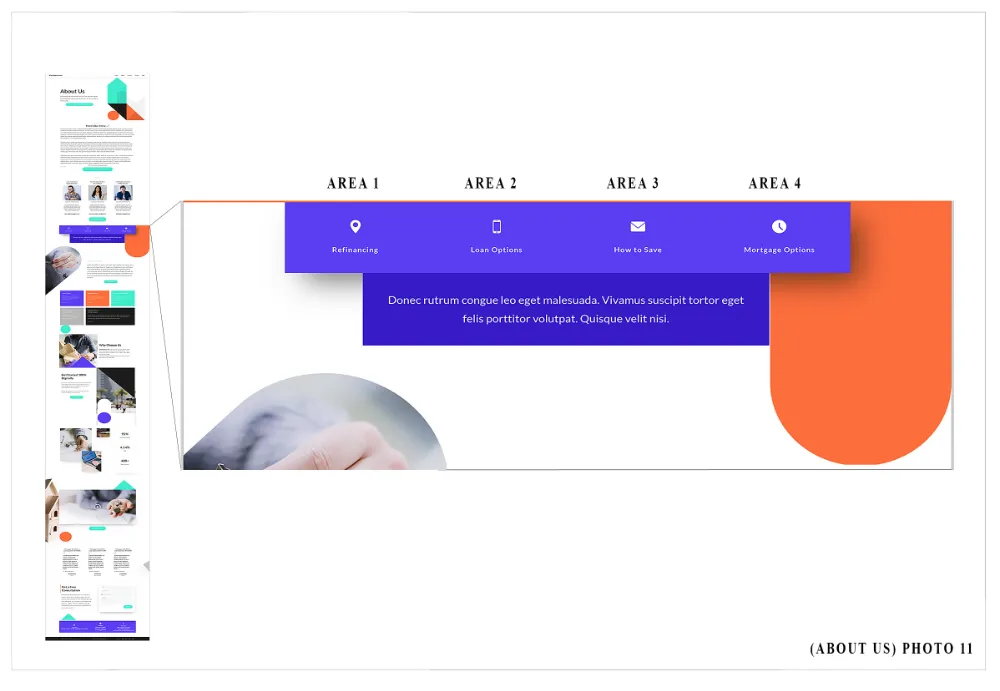
Unchangeable Elements of Middle of Page: Subsection 3:
AREA 1
-Background color
-Divider spatial orientation
AREA 2
-Title content (i.e. ONLY THE BEST) and spatial orientation
-Heading content (i.e. Fresh Ingredients...)color and spatial orientation
AREA 3
-Paragraph content color and spatial orientation
-Button content (i.e. VIEW ITEMS) color and spatial orientation
AREA 4
-Image content (i.e. time clock icon) color and spatial orientation.
-Sub-heading content (i.e. Mortgage Options) color and spatial orientation
Paragraph
Paragraph content color and spatial orientation
Changeable Elements of the Middle of Page: Subsection 3:
AREA 1
-Title Content (i.e. ONLY THE BEST)
-Heading Content (i.e. Fresh Ingredients...)
AREA 2
-Paragraph content
-Button content (i.e. VIEW ITEMS) and action
AREA 3
-Image content (i.e. envelope icon)
-Sub-heading content (i.e. How to Save)
AREA 4
-Image content (i.e. time clock icon)
-Sub-heading content (i.e. Mortgage Options)
Paragraph
Paragraph content color and spatial orientation
ATTENTION TEAM EXECUTORS
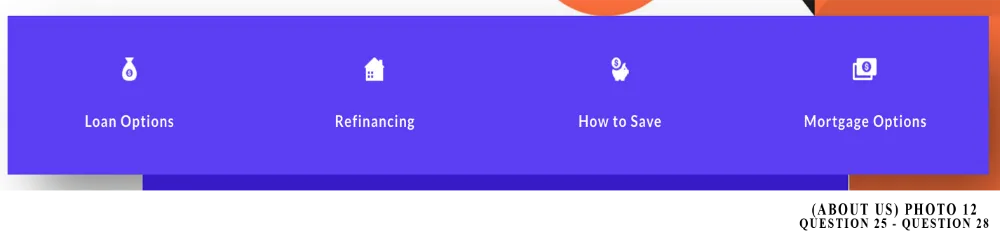
For Q 24. thru Q. 27, to change image icon to member chosen icon. Click on icon image section, go to setting by clicking on the wheel icon located in the top left corner (apart of orange frame of section). In image settings scroll down to Image Option. You will see in Image Options, IMAGE, click on the picture frame icon right side of URL. You will open up the MEDIA LIBRARY. Please use the arrow located at top left corner to the appropriate icon page. Please count down columns and to the right (photo 1 is top right, photo 2 is next one down)
Page 5: Mobile Phone Icon (photo 26), Page 6: Location Marker Icon (photo 21), Envelope Icon (photo 15), Clock Icon (photo 27), Money Bag Icon (photo 2), House w/Window Icon (photo 9), Piggy Bank Icon (photo 10), Cash Bill Icon (photo 11)
For Q. 24b, Q. 25b, Q. 26b and Q. 27b. FOR SUBHEADINGS, PLEASE BOLD ALL CONTENT.
ATTENTION MEMBERS
For Q. 24 thru Q. 27. To view Money Bag Icon, House w/Window Icon, Piggy Bank Icon, Cash Bill Icon please refer to photo 10.
PLEASE READ NOTE ABOVE “MoP Subsection 6: Box 1, Box 2, Box 3” IF YOU DO NOT HAVE AN E-COMMERCE SERVICE, BLOG PAGE, SERVICE PAGE OR ABOUT US PAGE BEING SERVICED OR SERVICED.
QUESTION 25- AREA 1
QUESTION 26- AREA 2
QUESTION 27- AREA 3
QUESTION 28- AREA 4
QUESTION 29- PARAGRAPH
____
Middle of Page (MoP): Subsection 4- (THIS IS A FIXED SECTION)
SEE: PHOTO 13 (BELOW)
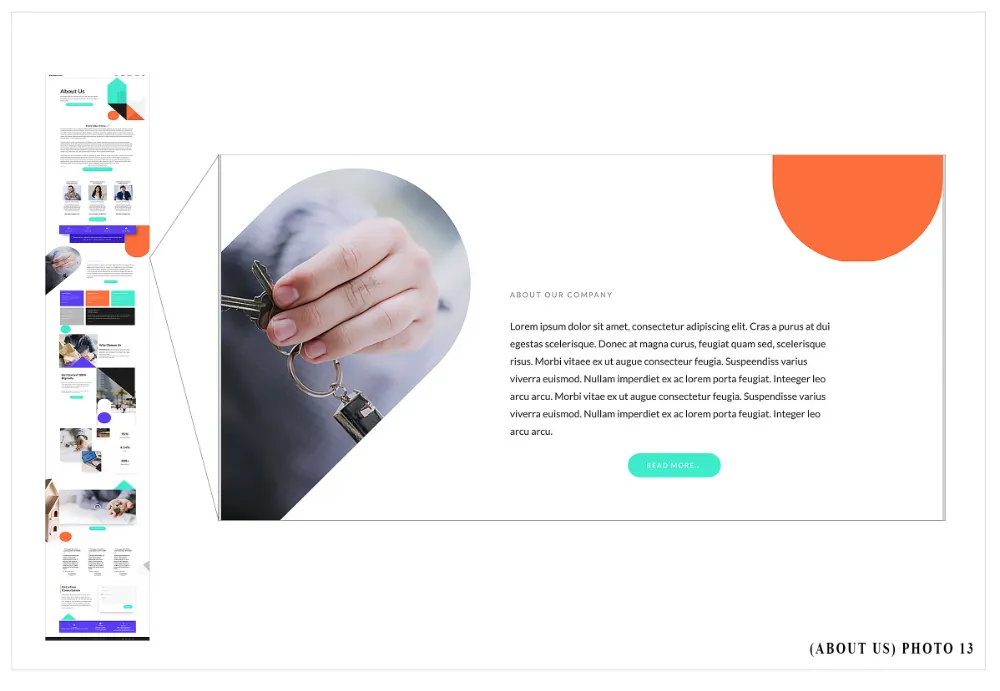
Unchangeable Elements of Middle of Page: Subsection 4
LEFT Side
-Photo spatial orientation
RIGHT Side
-Heading content (i.e. ABOUT OUR COMPANY) color and spatial orientation
-Paragraph content color and spatial orientation
-Button content (i.e. READ MORE) color and spatial orientation
Changeable Elements of the Middle of Page: Subsection 4
LEFT Side
-Photo
RIGHT Side
-Heading content (i.e. ABOUT OUR COMPANY)
-Paragraph content
-Button (i.e. READ MORE)
____
ATTENTION TEAM EXECUTORS
For Q. 32, Option 5 and Option 6. Please view Photo 13 for reference.

____
Middle of Page (MoP): Subsection 5- (Box 1, Box 2, Box 3) (THIS IS A FIXED SECTION)
SEE: PHOTO 15 (BELOW)
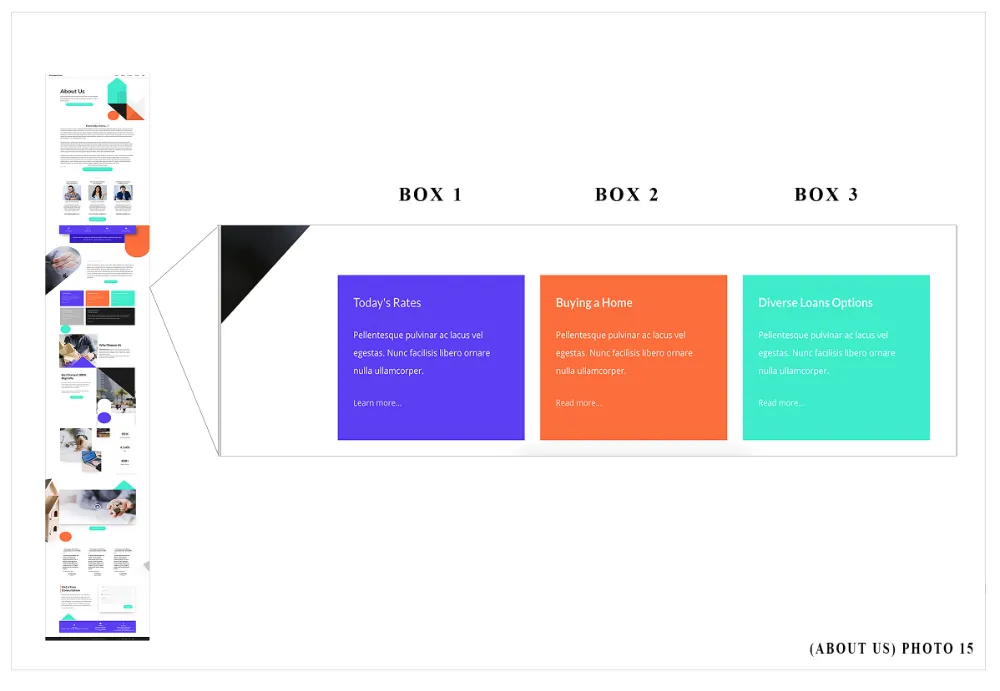
Unchangeable Elements of Middle of Page: Subsection 5- (Box 1, Box 2, Box 3)
Box 1, Box 2, Box 3 (SEE: PHOTO 15)
-Background Color
-Heading content color and spatial orientation
-Title content color and spatial orientation
-Paragraph content color and spatial orientation
-Button spatial orientation
Changeable Elements of the Middle of Page: Subsection 5-(Box 1, Box 2, Box 3)
Box 1
-Background Color
-Heading content (i.e. Today’s Rates)
-Paragraph content
-Button content and action (i.e. Learn More)
Box 2
-Background Color
-Heading content (i.e. Buying a Home)
-Paragraph content
-Button content and action (i.e. Learn More)
Box 3
-Background Color
-Heading content (i.e. Diverse Loan Options)
-Paragraph content
-Button content and action (i.e. Learn More)
____
ATTENTION TEAM EXECUTORS
For Q. 35, Q. 37 and Q. 39: ALL OPTIONS. To link the paragraph text to a URL Page. Click on the headline section of box. Highlight content with curser, a menu with icons should show (i.e. bold icon, italicized icon…etc). The link icon is represented as a chain linkage. Click on the link icon and type in the URL of the desired page accordingly (www.mortgagebroker/blogpage.com). You should link the member’s website domain name to the webpages prior to starting the build.
For Q. 35, Q. 37 and Q. 39: ALL OPTIONS. ALL OPTIONS. BOLD ALL HEADING CONTENT, unless mentioned otherwise.
BOX 1
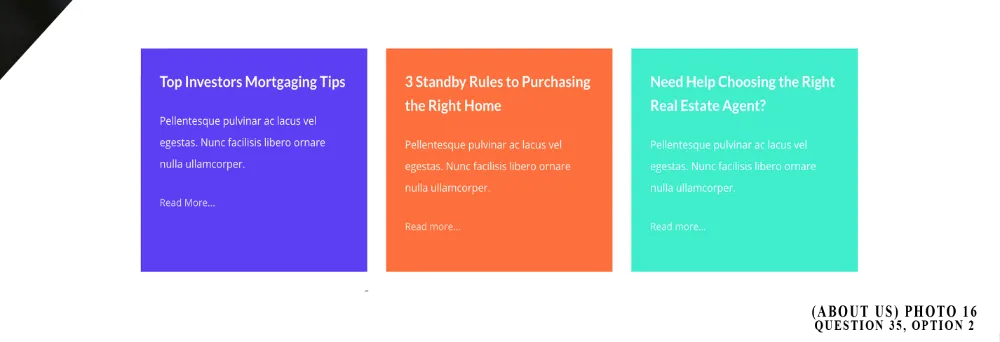
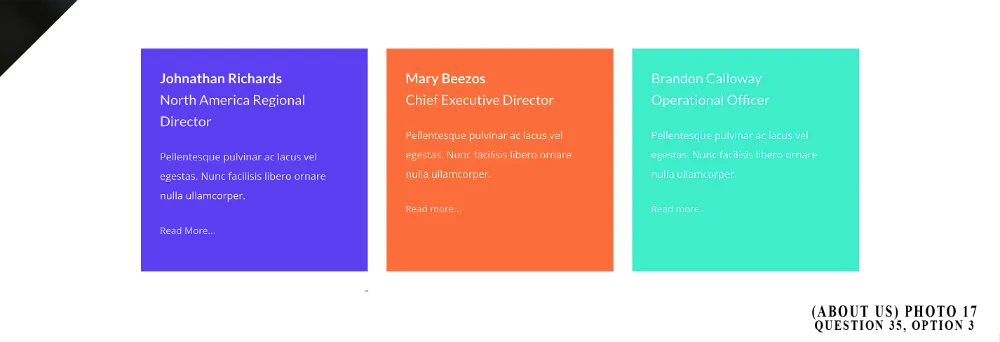
BOX 2
BOX 3
____
Middle of Page (MoP): Subsection 5- (Box 4 and Box 5) (THIS IS A FIXED SECTION)
SEE: PHOTO 18 (BELOW)
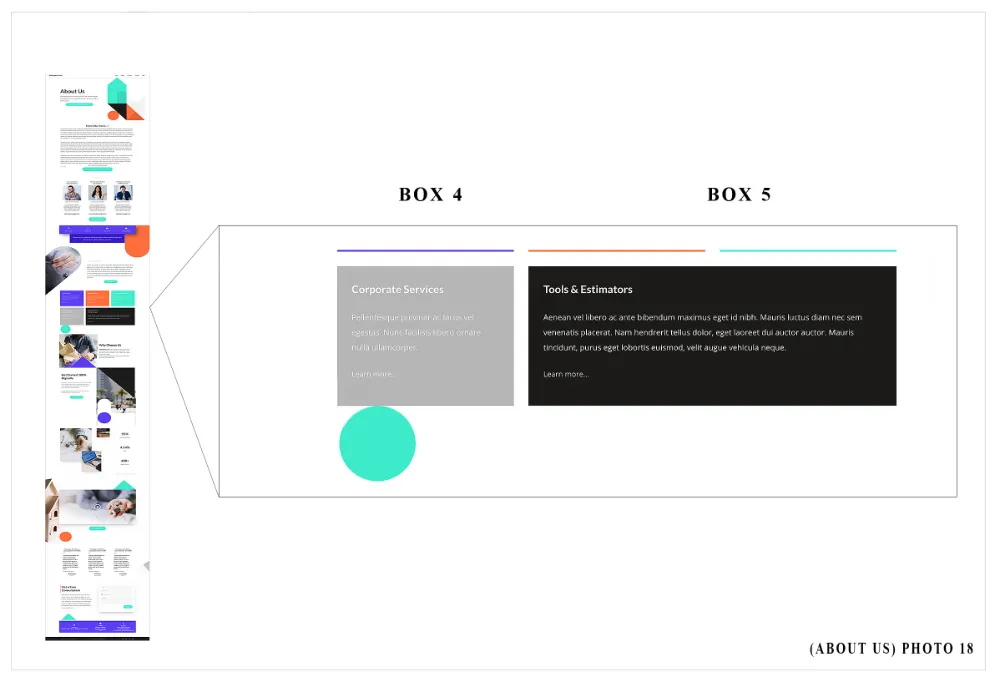
Unchangeable Elements of Middle of Page: Subsection 5- (Box 4 and Box 5)
-Box 4 and Box 5 (SEE: PHOTO 18)
-Background Color
-Heading content color and spatial orientation
-Title content color and spatial orientation
-Paragraph content color and spatial orientation
-Button spatial orientation
Changeable Elements of the Middle of Page: Subsection 5-(Box 10, Box 11, Box 12)
Box 4
-Background Color
-Heading content (i.e. Corporation Services)
-Paragraph content
-Button content and action (i.e. Learn More)
Box 5
-Background Color
-Heading content (i.e. Tools & Estimators)
-Paragraph content
-Button content and action (i.e. Learn More)
____
ATTENTION TEAM EXECUTORS
For Q. 42 and 44- ALL OPTIONS. To link the paragraph text to a URL Page. Click on the paragraph section of box. Highlight content with curser, a menu with icons should show (bold icon, italicized icon…etc). The link icon is represented as a chain linkage. Click on the link icon and type in the URL of the desired page (Blog page, Contact Us page…etc.). You should link the member’s website domain name to the webpages prior to starting the build.
For Q. 42 and 44- ALL OPTIONS. BOLD ALL HEADING CONTENT, unless mentioned otherwise.
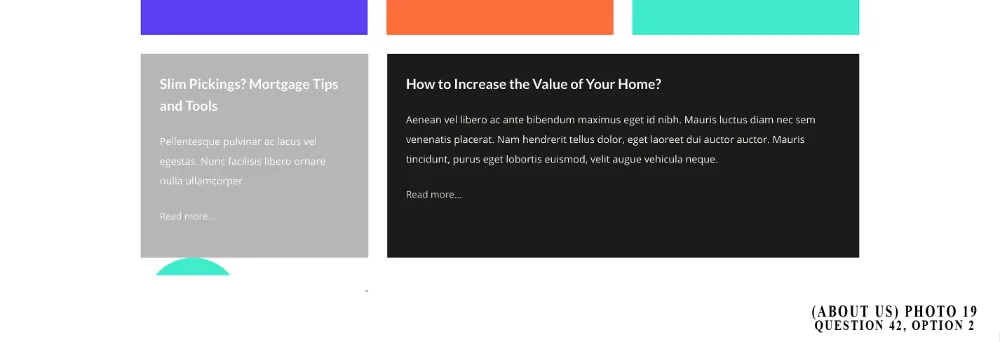
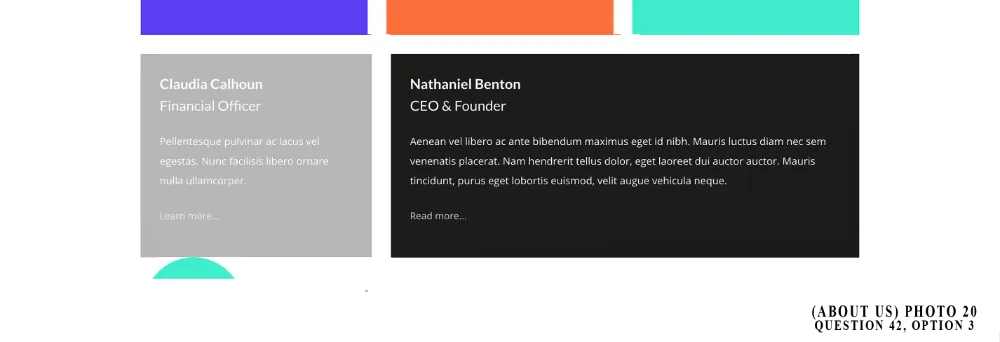
BOX 4
BOX 5
____
Middle of Page (MoP): Subsection 6 (THIS IS A FIXED SECTION)
SEE: PHOTO 21 (BELOW)
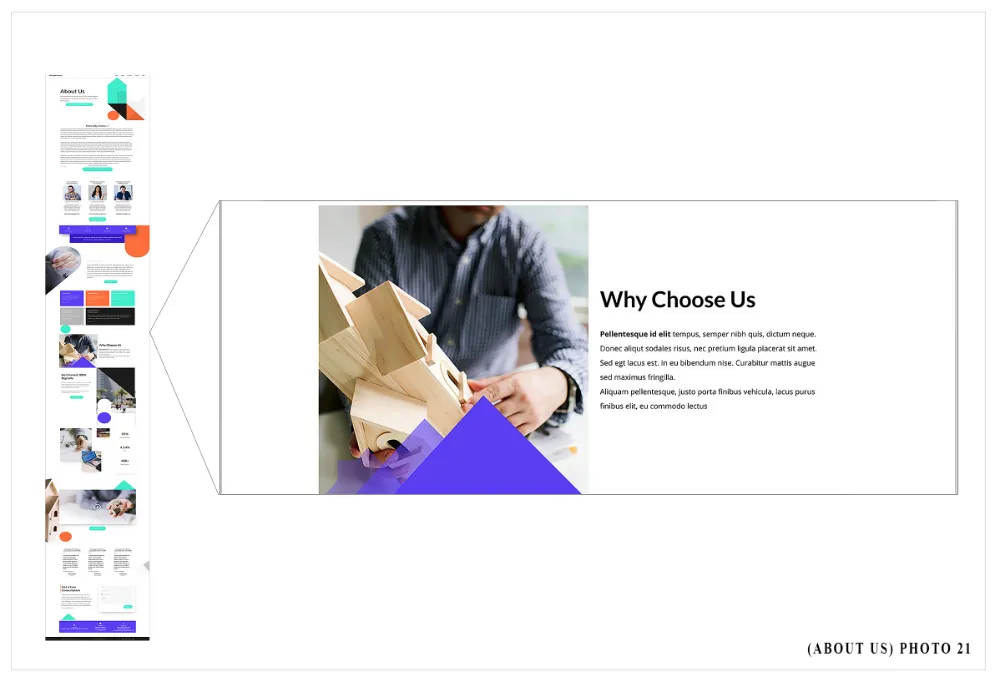
Unchangeable Elements of Middle of Page: Subsection 6
LEFT Side (just photo, not geo template)
-Photo spatial orientation
RIGHT Side
-Heading content (i.e. Why Choose Us) color and spatial orientation
-Paragraph content color and spatial orientation
Changeable Elements of the Middle of Page: Subsection 6
LEFT Side (just photo, not geo template)
-Photo
RIGHT Side
-Heading content (i.e. Why Choose Us)
-Paragraph content
____
ATTENTION TEAM EXECUTORS:
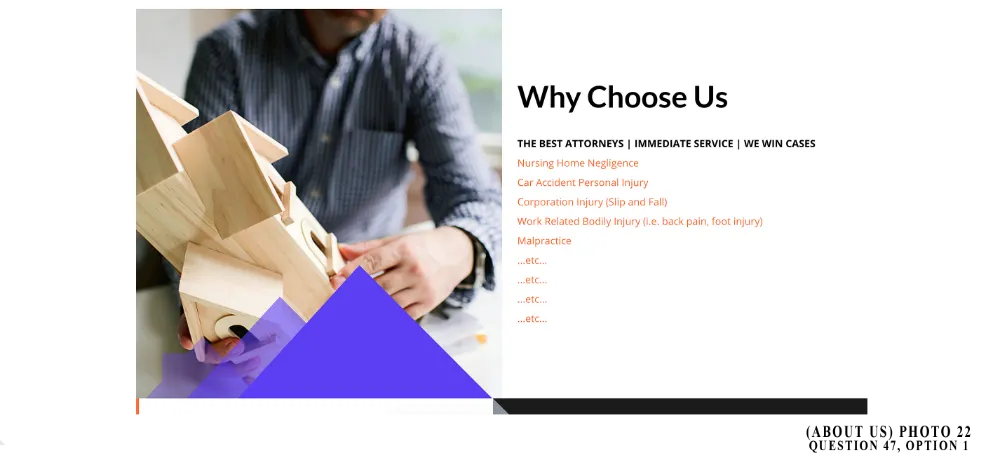
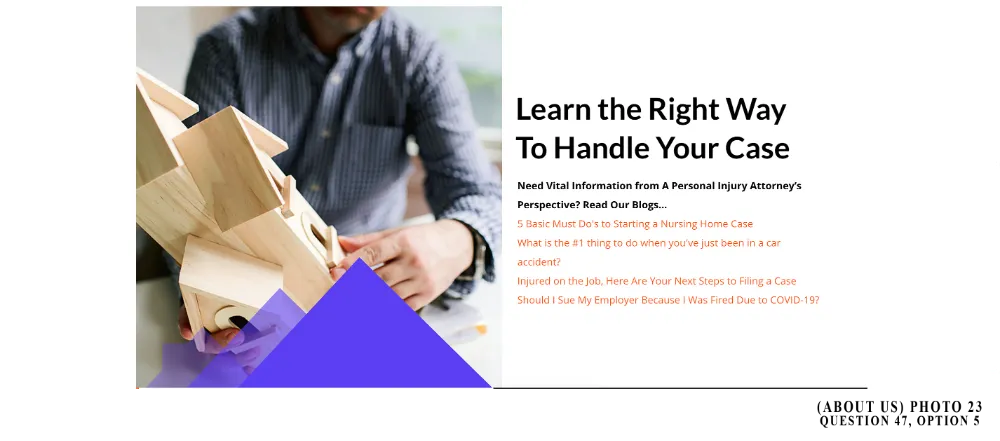
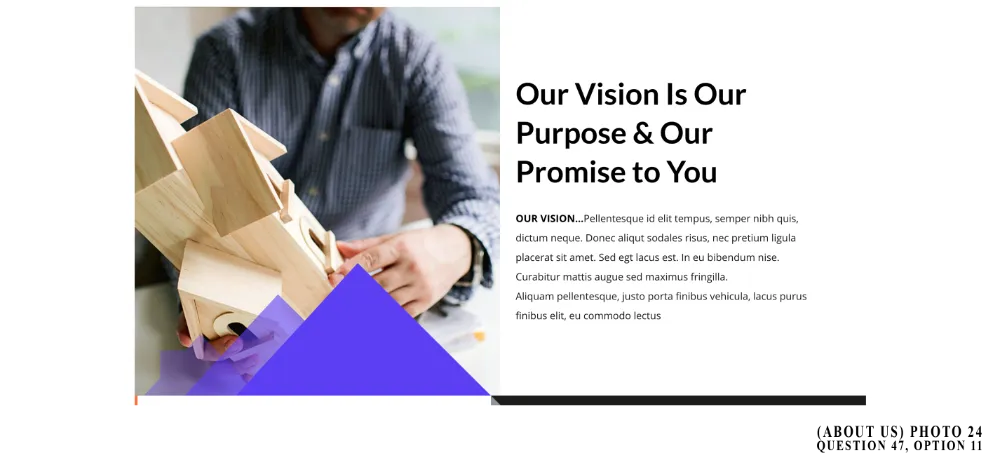
For Q. 47. ALL OPTIONS. To link the content text to a URL link page. Click on the paragraph section of box. Highlight content with curser, a menu with icons should show (bold icon, italicized icon…etc). The link icon is represented as a chain linkage. Click on the link icon and type in the URL of the desired page (i.e. Service Page) You should link the member’s website domain name to the webpages prior to starting the build.
For Q. 47 MAKE SURE LINK TEXT COLOR (paragraph settings > color options) IS ORANGE (#fC703C) OR ACCENT COLOR!
For Q. 47. ALL OPTIONS, CHANGE SIZE OF FONT. Click within the paragraph (orange section). In Paragraph Settings, please change MOBILE FONT SIZE to 18 and DESKTOP FONT SIZE to 16. THANK-YOU!
For Q. 47. ALL OPTIONS. BOLD ALL HEADING CONTENT, unless mentioned otherwise.
____
Middle of Page (MoP): Subsection 7 (THIS IS A FIXED SECTION)
SEE: PHOTO 25 (BELOW)
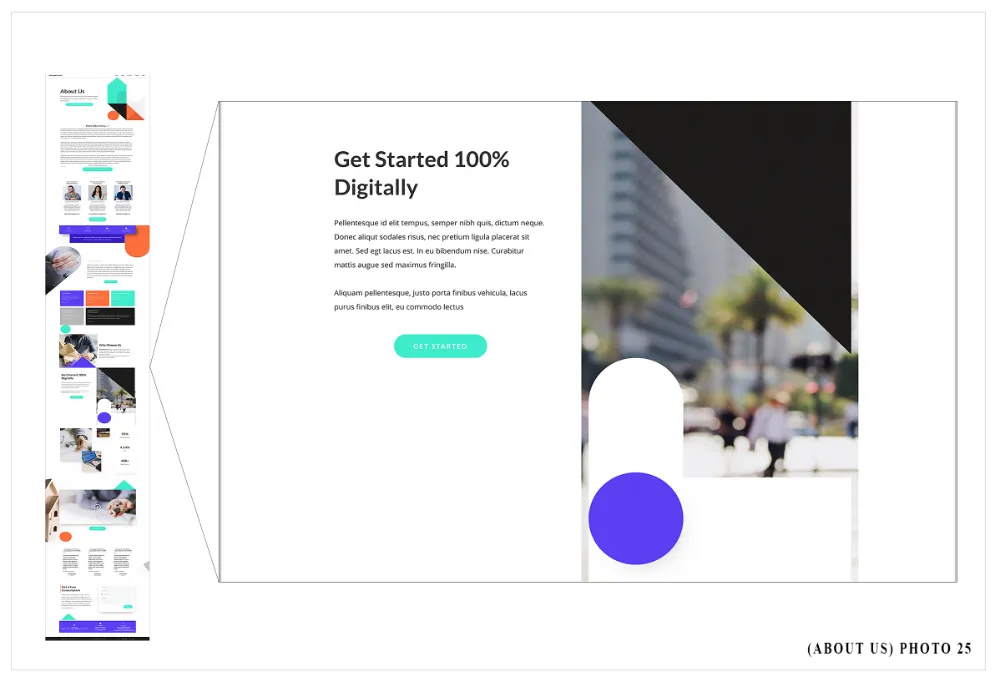
Unchangeable Elements of Middle of Page: Subsection 7
LEFT Side
-Heading content (i.e. Get Started 100% Digitally) color and spatial orientation
-Paragraph content color and spatial orientation
-Button content (i.e. GET STARTED) color and spatial orientation
RIGHT Side (just photo not geo template)
-Photo spatial orientation
Changeable Elements of Middle of Page: Subsection 7
LEFT Side
-Heading content (i.e. Get Started 100% Digitally)
-Paragraph content
-Button content (i.e. GET STARTED)
RIGHT Side (just photo not geo template)
-Photo
____
ATTENTION TEAM EXECUTORS
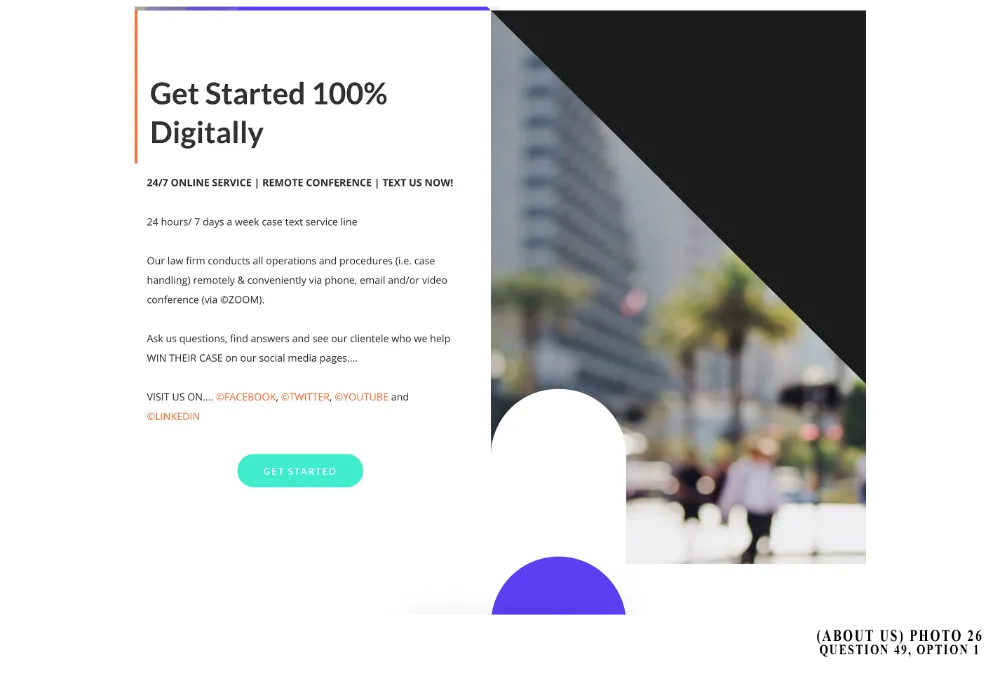
For Q. 49. ALL OPTIONS. To link the content text to a URL link page. Click on the paragraph section of box. Highlight content with curser, a menu with icons should show (bold icon, italicized icon…etc.) The link icon is represented as a chain linkage. Click on the link icon and type in the URL of the desired page (i.e. Service Page) You should link the member’s website domain name to the webpages prior to starting the build.
For Q. 49 MAKE SURE LINK TEXT COLOR (paragraph settings > color options) IS ORANGE (#fC703C) OR ACCENT COLOR!
For Q. 49. ALL OPTIONS, CHANGE SIZE OF FONT. Click within the paragraph (orange section). In Paragraph Settings, please change MOBILE FONT SIZE to 18 and DESKTOP FONT SIZE to 16. THANK-YOU!
For Q. 49. ALL OPTIONS. BOLD ALL HEADING CONTENT, unless mentioned otherwise.
____
Middle of Page (MoP): Subsection 8 (THIS IS A FIXED SECTION)
SEE: PHOTO 27 (BELOW)
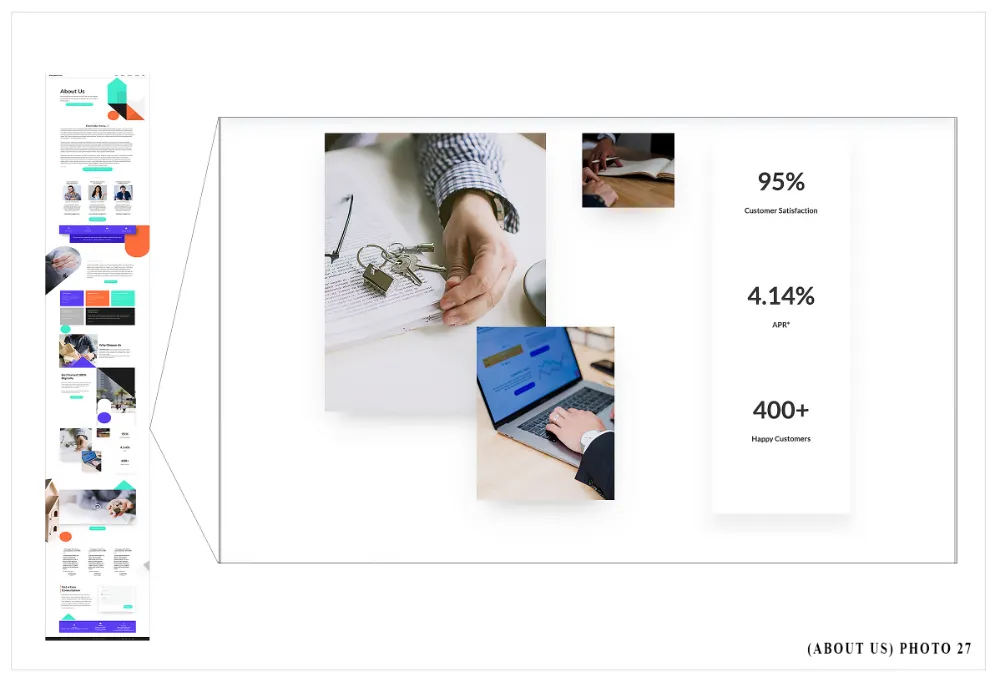
Unchangeable Elements of Middle of Page: Subsection 8
LEFT Side
-Photo 1 (top right area) spatial orientation
-Photo 2 (large mid area) spatial orientation
-Photo 3 (lower right area) spatial orientation
RIGHT Side
-Heading 1 content (i.e. 95%) color and spatial orientation
-Subheading 1 content (i.e. Customer Satisfaction) color and spatial orientation
-Heading 2 content (i.e. 4.14%) color and spatial orientation
-Subheading 2 content (i.e. APR*) color and spatial orientation
-Heading 3 content (i.e. 400+) color and spatial orientation
-Subheading 3 content (i.e. Happy Customers) color and spatial orientation
Changeable Elements of the Middle of Page: Subsection 8
LEFT Side
-Photo 1 (top right area)
-Photo 2 (large mid area)
-Photo 3 (lower right area)
RIGHT Side
-Heading 1 content (i.e. 95%)
-Subheading 1 content (i.e. Customer Satisfaction)
-Heading 2 content (i.e. 4.14%)
-Subheading 2 content (i.e. APR*)
-Heading 3 content (i.e. 400+)
-Subheading 3 content (i.e. Happy Customers)
____
Middle of Page (MoP): Subsection 9 (THIS IS A FIXED SECTION)
SEE: PHOTO 28 (BELOW)
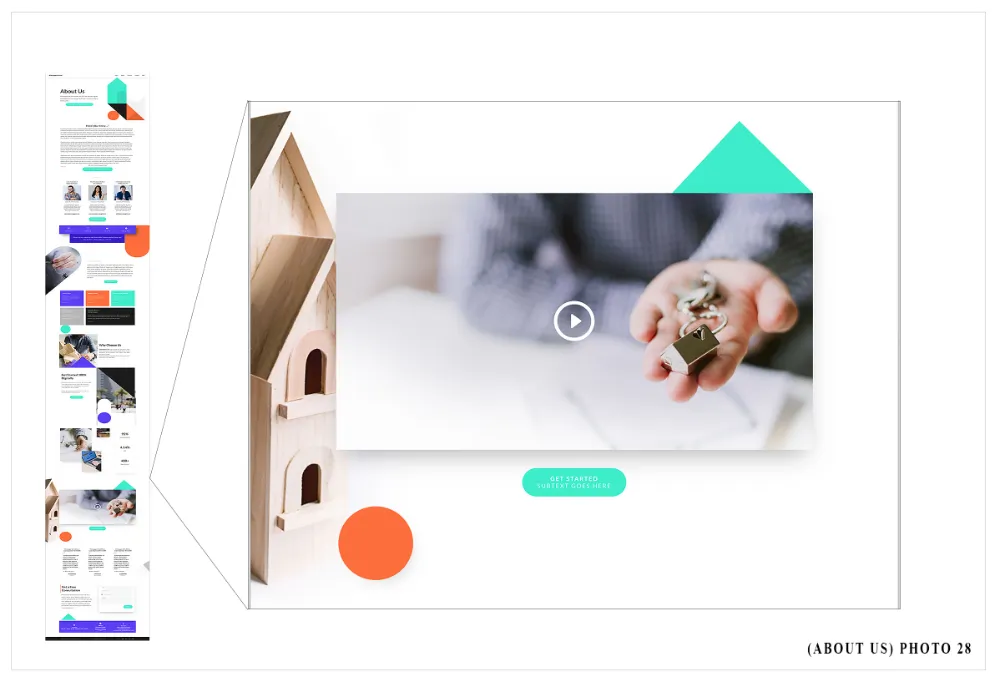
Unchangeable Elements of Middle of Page: Subsection 9
-Background Photo spatial orientation
-Video spatial orientation
-Button content (i.e. GET STARTED) and subtext content (i.e. SUBTEXT GOES HERE) color and spatial orientation
Changeable Elements of Middle of Page: Subsection 9
-Background Photo
-Video footage spatial orientation
-Button content (i.e. GET STARTED) and subtext content
____
Middle of Page (MoP): Subsection 10 (THIS IS A FIXED SECTION)
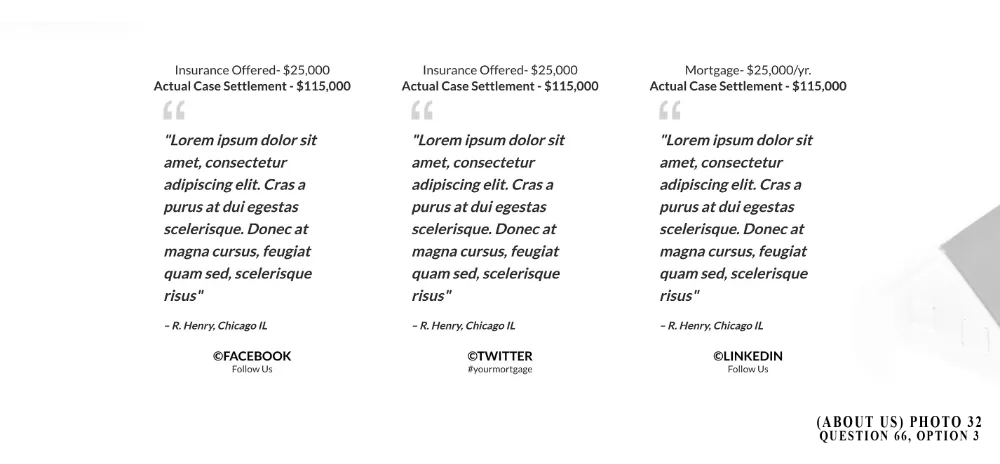
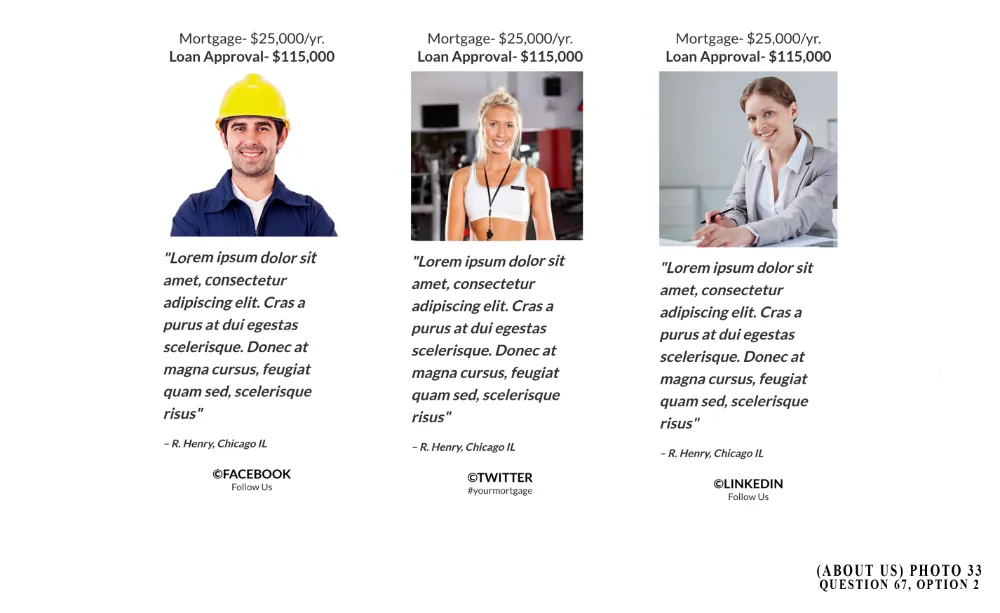
SEE: PHOTO 29 (BELOW)
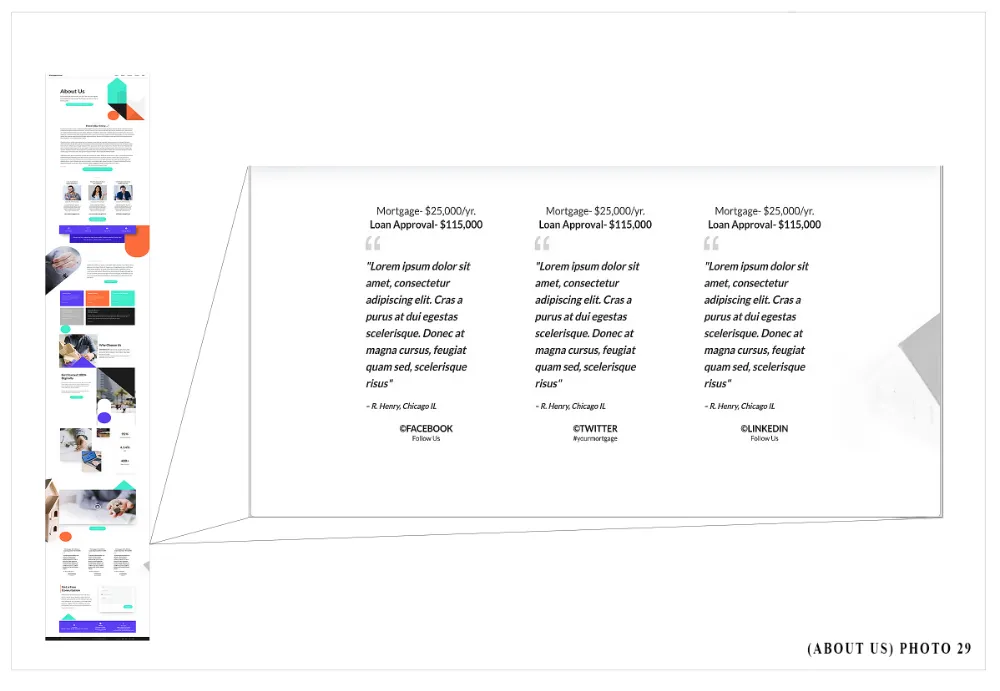
Unchangeable Elements of Middle of Page: Subsection 10
FOR EACH REVIEW
-Subheading 1 content (i.e. Mortgage- $25,000/yr.) color and spatial orientation
-Subheading 2 content (i.e. Loan Approval- $115,000) color and spatial orientation
-Image content color and spatial orientation
-Paragraph (i.e. review) content color and spatial orientation
-Sub paragraph (i.e. reviewer’s name) content color and spatial orientation
-Button (i.e. social media site) content color and spatial orientation
-Button subtext content, color and spatial orientation
Changeable Elements of Middle of Page: Subsection 10
FOR EACH REVIEW
-Background image
-Subheading 1 content (i.e. Mortgage- $25,000/yr.)
-Subheading 2 content (i.e. Loan Approval- $115,000)
-Image (i.e. reviewer’s photo)
-Paragraph (i.e. review) content
-Sub paragraph (i.e. reviewer’s name) content
-Button (i.e. social media site) content
-Button subtext
____
ATTENTION TEAM EXECUTORS
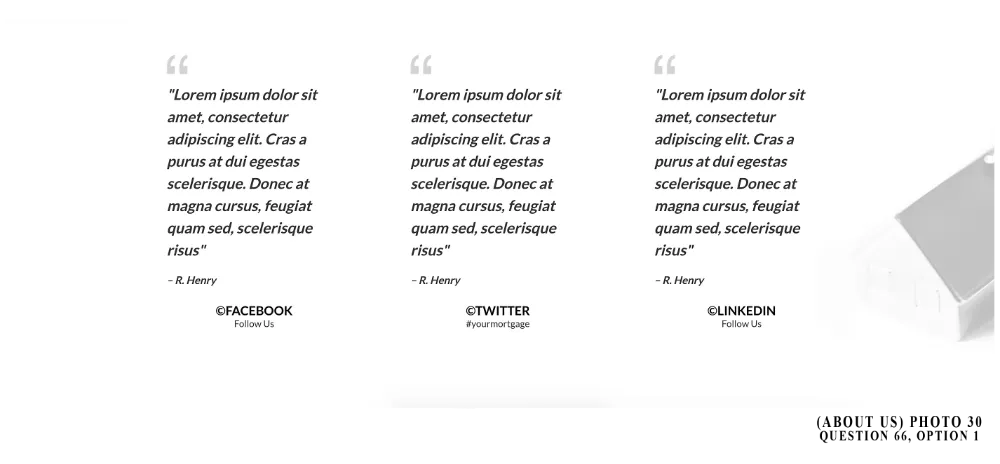
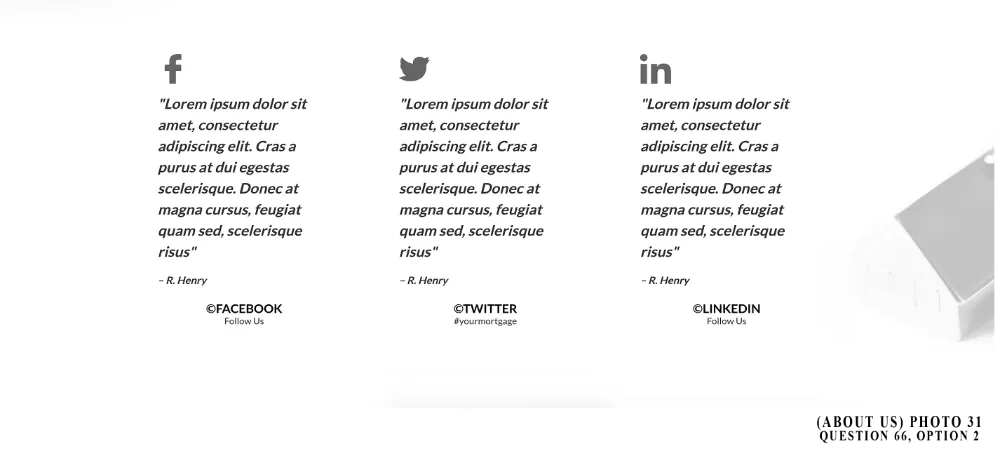
For Q. 66: Option 2 & Option 4, social media icon elements. Go to > Image Settings > under Image- click on picture icon next to URL text. Pick social media icon from 1st page MAKE SURE TO MATCH PHOTO 30, 31 and 32. Upload by clicking (highlighted circled checkmark). Be sure to change image size (in image settings) to: WIDTH (PX)-50, leave HIEGHT (PX)- 0).
For Q. 66. ALL OPTIONS. Make sure subheading 1 and 2 Mobile Size and Desktop Font Size is 20. Go to sub headline Settings >MOBILE FONT SIZE, change to 20 > DESKTOP FONT SIZE, change to 20.
ATTENTION MEMBERS
Up to 3 reviews MAX
____
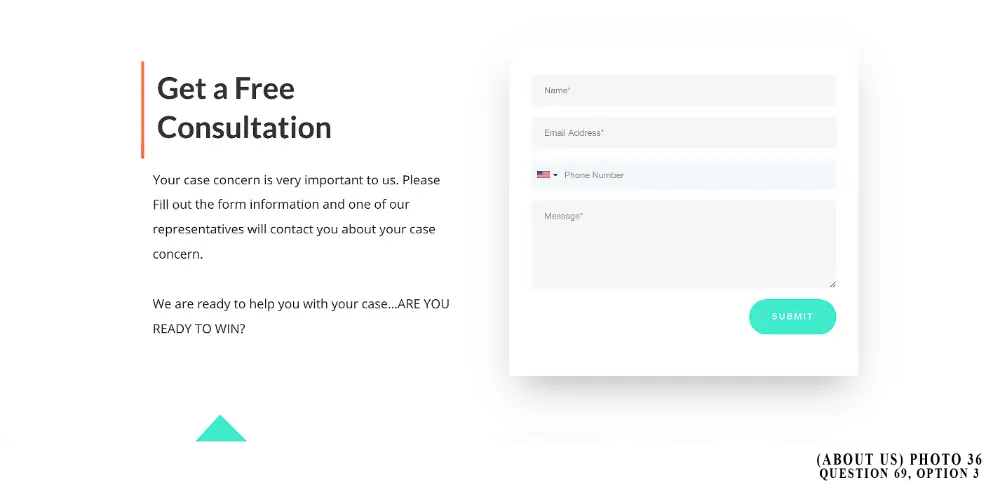
Middle of Page (MoP): Subsection 11 (THIS IS A FIXED SECTION)
SEE: PHOTO 34 (BELOW)
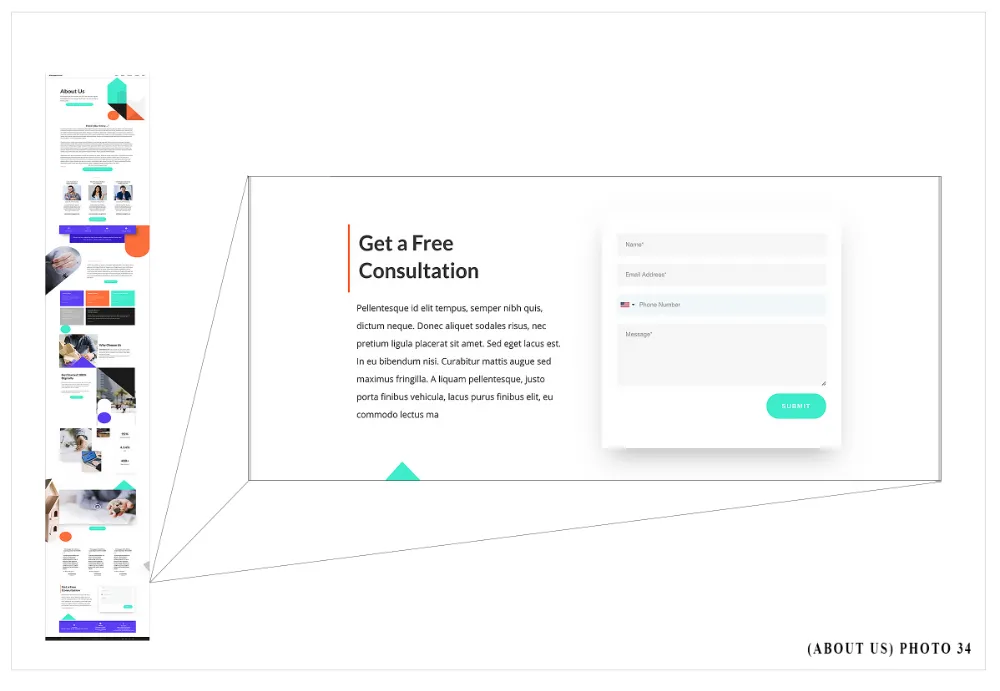
Unchangeable Elements of Middle of Page: Subsection 11
LEFT Side
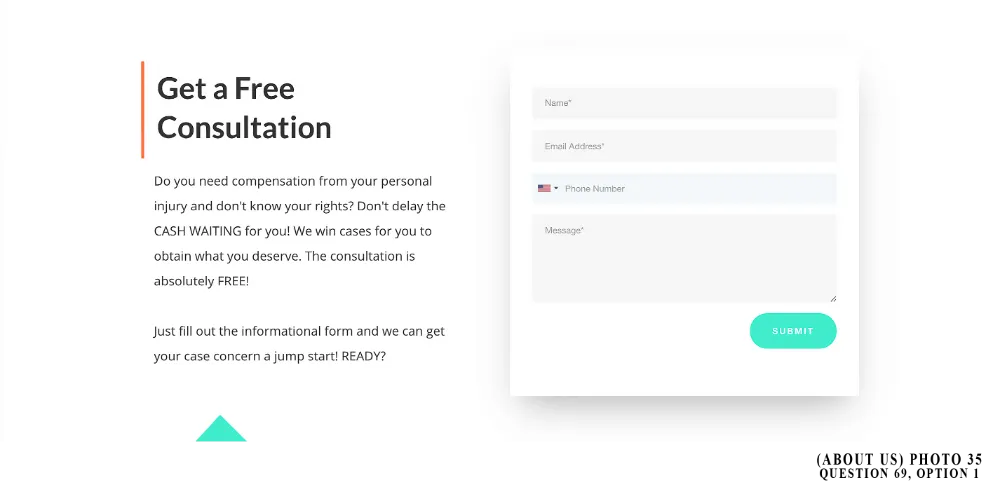
-Heading content (i.e. Get a Free Consultation) color and spatial orientation.
-Paragraph content color and spatial orientation
RIGHT Side
-Form spatial orientation
Changeable Elements of Middle of Page: Subsection 11
LEFT Side
-Heading content (i.e. Get a Free Consultation)
-Paragraph content
RIGHT Side
-Form
____
Middle of Page (MoP): Subsection 12 (THIS IS A FIXED SECTION)
SEE: PHOTO 37 (BELOW)
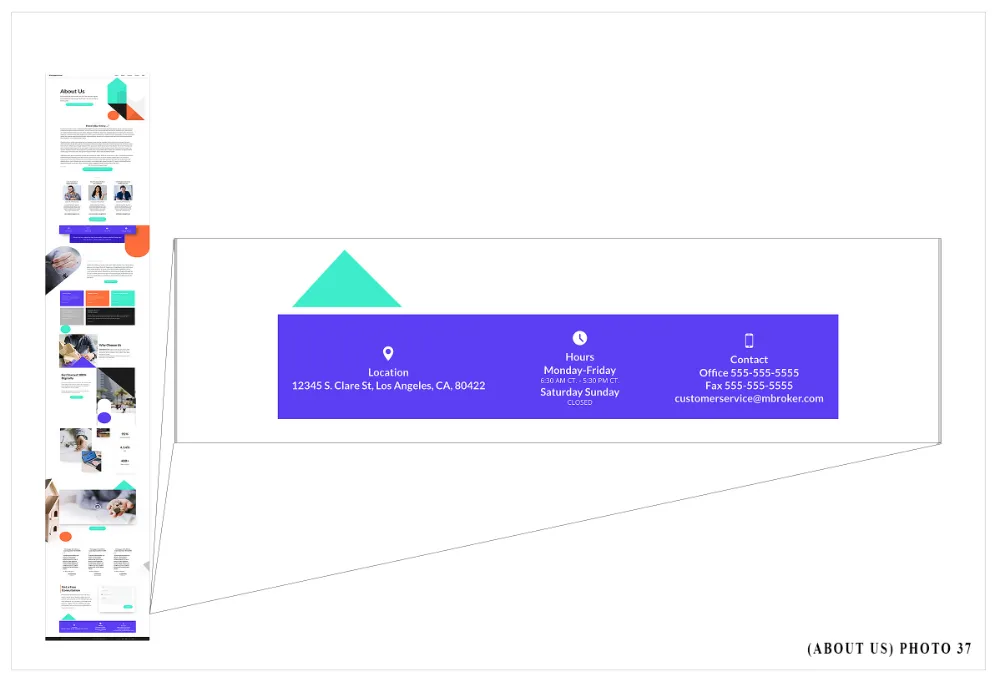
Unchangeable Elements of Middle of Page: Subsection 12
AREA 1
-Heading content (i.e. Location) color and spatial orientation.
-Sub Heading content (i.e. office address/location) color and spatial orientation.
AREA 2
-Heading content (i.e. Hours) color and spatial orientation.
-Sub Heading content (i.e. days of operation) color and spatial orientation.
-Paragraph content (i.e. hours of operation and time zone) color and spatial orientation.
AREA 3
-Heading content (i.e. Contact) color and spatial orientation.
-Button content (i.e. office main number) color and spatial orientation.
-Button content (i.e. office fax number) color and spatial orientation.
-Button content (i.e. office email) color and spatial orientation.
Changeable Elements of Middle of Page: Subsection 12
AREA 1
-Heading content (i.e. Location)
-Sub Heading content (i.e. office address/location)
-Add Sub Heading content
AREA 2
-Heading content (i.e. Hours)
-Sub Heading content (i.e. days of operation)
-Paragraph content (i.e. hours of operation and time zone)
AREA 3
-Heading content (i.e. Contact)
-Button content (i.e. office main number)
-Button content (i.e. office fax number)
-Button content (i.e. office email)
____
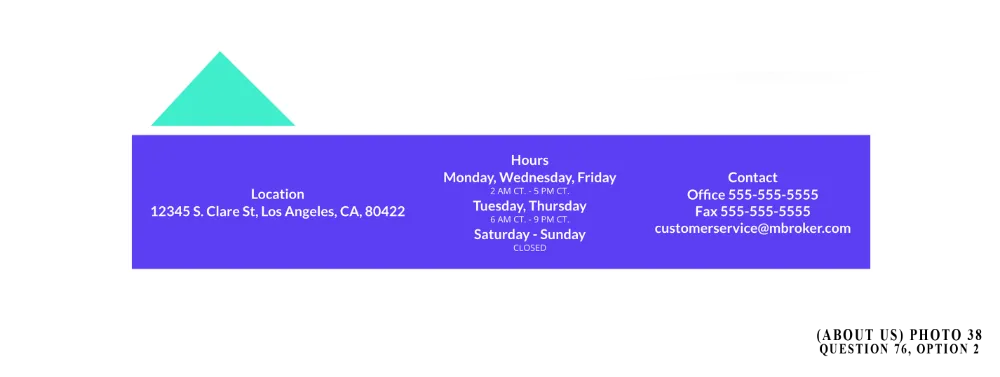
ATTENTION TEAM EXECUTORS
For Q. 72,73,74, 76 and 77. Please make sure ALL HEADING, SUB HEADING CONTENT & BUTTON Font size are correct. Go to Heading Settings, Sub Heading Settings or Button Settings Mobile Font Size is 18 and Desktop Font Size is 22.
ATTENTION MEMBERS
If you would like to add an additional address, please fill out a Basic 2-5 Page Revision Request Form. The Basic 2-5 Webpage Content and Information Form will ONLY accommodate (1) locational office address and (1) P.O. Box OR up to two locational office addresses.
YOU ARE UNABLE TO DELETE AREAS SEPARATELY.
____
Base Of Page (BoP) (THIS IS A FIXED SECTION)
SEE: PHOTO 39 (BELOW)
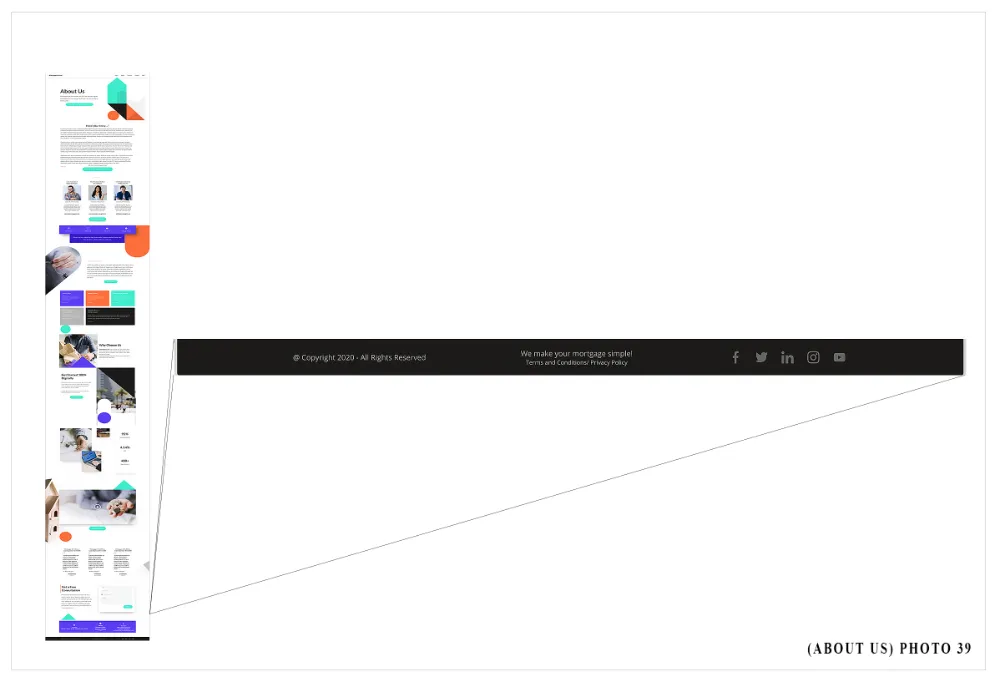
Unchangeable Elements of Base of Page (BoP)
-Spatial orientation of section
-Paragraph content (i.e. Copyright…. reserved) color and spatial orientation
-Paragraph content (i.e. We make…simple) color and spatial orientation
- “TERMS AND CONDITIONS/PRIVACY POLICY” content, color, spatial orientation and link.
-Social media icon color and spatial orientation
Changeable Elements of the Base of Page (BoP)
-Paragraph content (Copyright…. reserved)
-Paragraph content (i.e. We make…simple)
-Social media icon
-Add or delete social media icons
ATTENTION TEAM EXECUTORS:
T.E. will provide a linked terms and agreements/privacy policy page, ONLY IF MEMBER PROVIDES terms and agreements/ privacy policy content in Basic 2-5 Webpage C &I Form: Upload document area.
____
Pop-Up (POP) (THIS IS A FIXED SECTION)
SEE: PHOTO 40 (BELOW)
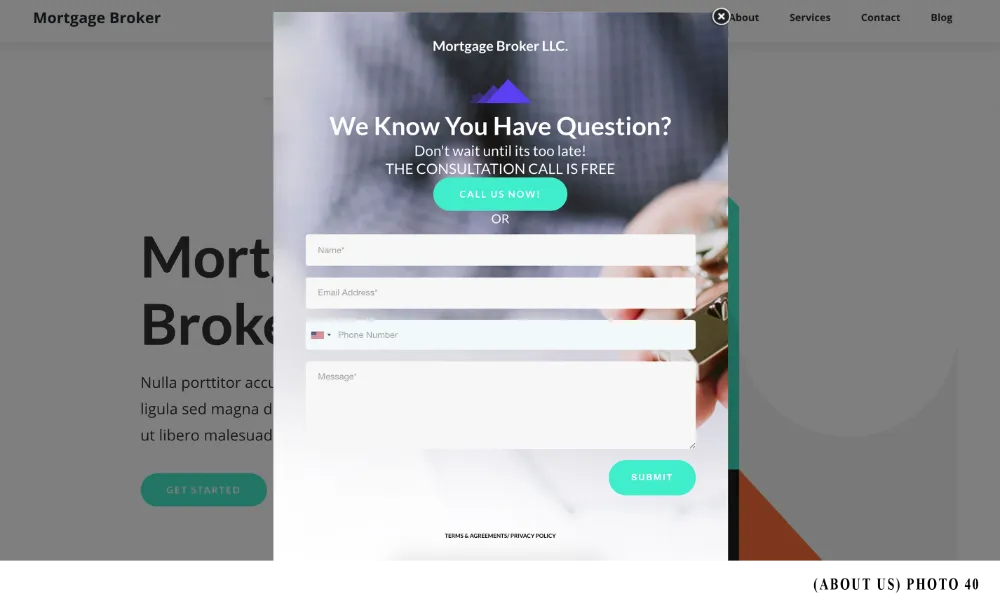
Unchangeable Elements of Pop-Up (POP)
-Pop-Up spatial orientation section
-Title content color and spatial orientation (i.e. company name or logo)
-Divider spatial orientation
-Heading content color and spatial orientation (i.e. WE KNOW…QUESTIONS?)
-Sub heading Paragraph content color and spatial orientation (i.e. Don’t wait until…CALL IS FREE)
-“OR” content, content color and spatial orientation
-Button content color and spatial orientation (i.e. CALL US NOW)
-Sub button content color and spatial orientation (TERMS & AGREEMENTS…)
Changeable Elements of the Pop-Up (POP)
-Background photo
-Title content (i.e. company name or logo)
-Heading content (i.e. WE KNOW…QUESTIONS?)
-Sub heading content (i.e. Don’t wait until…CALL IS FREE)
-Button content (i.e. CALL US NOW)
-Form
-Sub button content (TERMS & AGREEMENTS…)
____
ATTENTION TEAM EXECUTORS
Terms and Agreements/Privacy Policy is a page created via forms. Go to “Forms,” please copy “Terms & Agreements/ Privacy Policy Template” Please click on arrow down next to “EDIT” and hit copy, then used the copied form for member’s company. For the submit, you will have to … THANK-YOU!)
ATTENTION MEMBERS
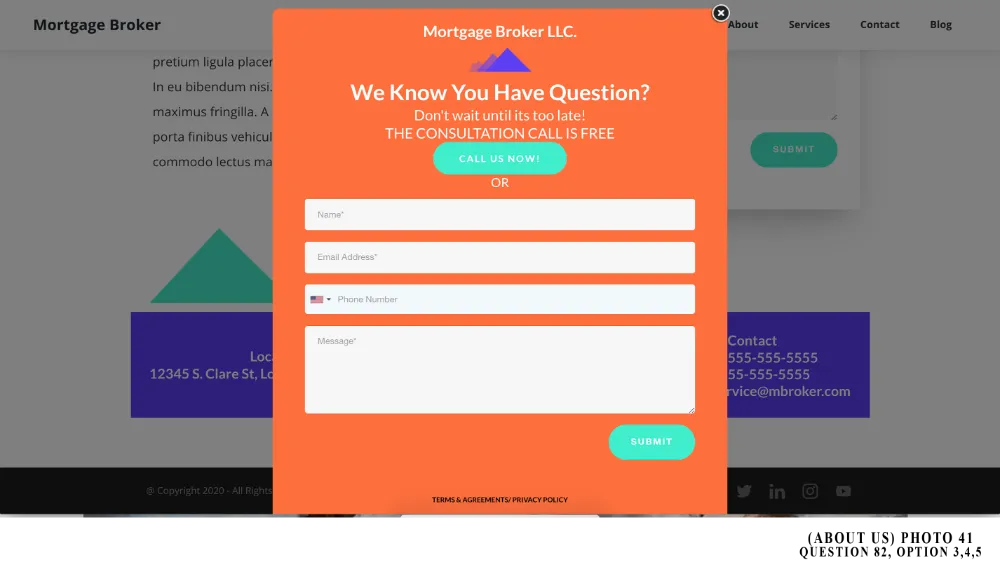
Reminder. Geographical Element’s color will change to the color chosen for MAIN COLOR, Question 1 of this form
To see our basic terms and agreement page for all websites please copy this URL into your browser. Your information will be placed respectively: https://msgsndr.com/widget/form/MSge4fnS63B4Yi6Jl245
____
ATTENTION TEAM EXECUTORS
Terms and Agreements/Privacy Policy is a page created via forms. Go to “Forms,” please copy “Terms & Agreements/ Privacy Policy Template” Please click on arrow down next to “EDIT” and hit copy, then used the copied form for member’s company. For the submit, you will have to … THANK-YOU!)
ATTENTION MEMBERS
Your assigned T.E. will upload your terms and agreements to a basic webpage ONLY IF your terms and agreements are uploaded in document format (i.e. ©Microsoft word doc). To see our basic terms and agreement page for all websites please copy this URL into your browser. Your information will be placed respectively: https://msgsndr.com/widget/form/MSge4fnS63B4Yi6Jl245
If your terms and agreements are downloaded as a photo copy to VisProsper, the uploaded photo copy of your company’s terms and agreements will be upload in the condition it was received; your photo copy will be uploaded to a webpage with no additional rendering.
We highly recommend that members type out their company’s terms and agreement policy to a word document and upload it with their appropriate webpage content form.
____
Automated Messaging
AUTOMATED MESSAGES- THESE MESSAGES WILL BE SENT TO THE USER ONCE A USER EITHER TEXTS (SMS-MESSAGING) OR EMAIL THE VISPROSPEER MEMBER’S COMPANY.
If you would like to create automated messaging. Please refer to either your Basic 2-5 Webpage C&I Form, questions 39 and 40 (only one form will be used for your T.E. to execute your Automated Messaging request). If you would like to revise or re-create any automated message please fill out a Basic 2-5 Webpage Revision Request Form.
VisProsper's SMS Template Message
Thank- you for your message, we are here to help you! You should be receiving a text back shortly, with your patience one of our representatives will be with you momentarily….
If you do not hear from us shortly, within 24hrs, you can always call our office during our business hours to receive a quicker response.
Reply the word “STOP” to stop receiving further messages from us.
__
VisProsper's E-MAIL Template Message
Hi {clientele name}
Thank-you for your inquiry. This is a CONFIRMATION EMAIL from [company’s name] letting you know we have received your message and look forward to further discussing every concern with you.
Please understand that your call and email are very important to us and will be answered in the order that it was received. One of our helpful representatives is expected to contact you within the hour of this message; if not within the hour, expect no more than a 48hour delay.
We, again, thank-you and aim to answer all of your inquiries and get your case started as soon as possible …
Talk to you shortly {clientele name}
This is an automated message, please do not respond or reply back
YOUR LOGO HERE
_______
CONGRATULATIONS! YOU ARE ALMOST SET AND READY FOR YOUR TEAM EXECUTOR TO BUILD YOUR ABOUT US WEBPAGE!
After you complete the information below and submit this form…expect to receive a confirmation e-mail stating that “VisProsper has received your ABOUT US PAGE TEMPLATE form and will be sending it to your assigned Team Executor momentarily.”
If you have multiple webpage service forms to complete, ALL FORMS MUST BE COMPLETED AND SUBMITTED IN ORDER FOR YOUR T.E. TO START BUILDING YOUR COMPANY'S WEBSITE. ALL FORMS MUST BE RECEIVED TO OBTAIN AN INVOICE OF (INITIAL) TOTAL SERVICE COST.
YOUR TEAM EXECUTOR INFO...
MEMBERSHIP INFO...
Each paragraph, question, statement and answer written and submitted in this form was legitimately read by (or by a persons to) me and I am fully competent and comprehensible of all information that this form implies. I, the member, am fully aware and I, the member, fully understand that the content in this form is subject under my, the member, sole discretion and not my assign VisProsper Team Executor or Affiliate discretion and knowledge. Otherwise I am breaching and discrediting this form and the service rendered by VisProsper. I am fully aware that My VisProsper Team Executor is unable to choose any question option and content for me or on my behalf. I understand the submission of this form completes my VisProsper membership service of my Basic 2-5 Web Home Page and if I choose to revise any information submitted in this form, I will complete a VisProsper Basic 2-5 Revision Request Form. I also understand that this signature indicates that I, the member or member affiliate agree with all terms and conditions and privacy policy of VisProsper© and its Basic 2-5 Webpage Service and its service plan. Until Basic 2-5 Webpage Service (or service plan) is paid in full, the member of the Webpage herby, stipulates that all content information is copy-write and content rights solely belong to VisProsper. VisPropser has all right to deactivate any webpage(s) pertaining to service (or service plan) that are subject to payment and membership holds an outstanding balance. Once service (or service plan) is paid in full by active member, website and website content solely belongs to member. Member also understands that service will not be completed by their assigned Team Executor, unless service payment is confirmed my member (via form signature). By member or member affiliate signing this form, member allows the assigned VisProsper© Team Executor full permission and full access to use information above via 3rd party website (affiliations) and VisProsper database(s) and all forms relevant to rendered service. Member or member affiliate signature also indicates that your VisProsper Team Executor holds no obligation to the altering of this information given above or if needed, has ALL right to withhold and not submit any illegal statement(s) or comment(s) submitted on or attached to this form. All information entered in this form is given to VisProsper© under competent discretion by the senior copywriter of the attorney (i.e. Visprosper member). Submission of this form means all information is legit and true statements and based on competent law evidential knowledge which is intended to not incriminate or discredit VisProsper and or none of its affiliates, nor incriminate VisProsper© member or (law-firm).
If you have any questions or concerns, please call your Team Executor directly or speak with one of our customer representatives. It will be our pleasure to be there for you and help you with any service issues or concerns.